
Get going in seconds
One welcome screen shows the basics: Start workout, tap Rest at the end of each set, and rest counts by itself. Then short tips show up one per screen, right when you need them.
Want to see it again? Settings › View tutorial.
New in version 1.8.0
Gym Log & Rest Timer for Watch
Count every set, time your rest, and log the weight on iPhone and Apple Watch. Big numbers, made to read mid-workout.
iPhone and Apple Watch · Android coming soon

New in 1.8.0
One welcome screen shows the basics: Start workout, tap Rest at the end of each set, and rest counts by itself. Then short tips show up one per screen, right when you need them.
Want to see it again? Settings › View tutorial.

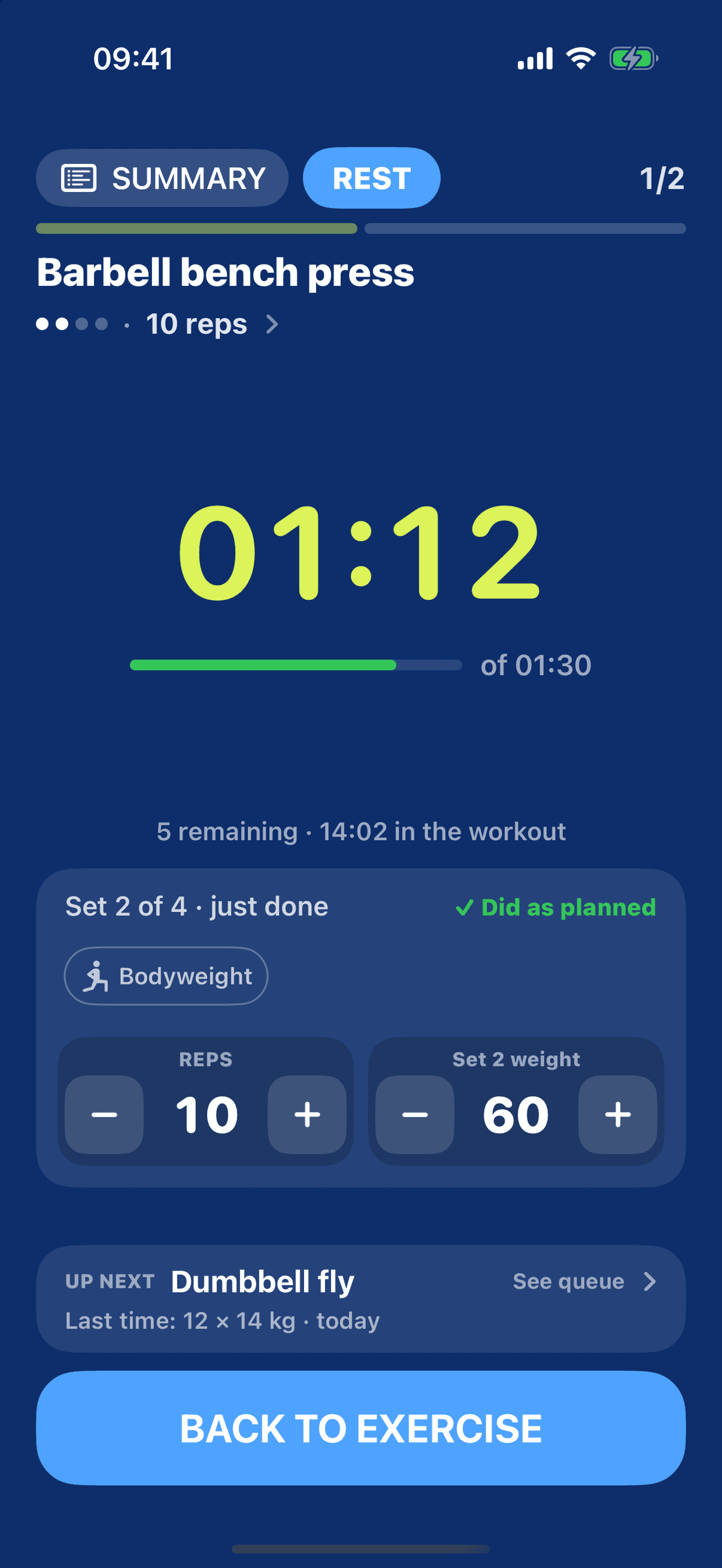
Rest time shows in a ring (or a bar on smaller screens). The set you just finished stays fully on screen, reps and weight included, no scrolling. UP NEXT shows what's coming.

Every set is saved as "Did as planned". Only touch it if you did something different: change reps or weight and it becomes "Adjusted".

GrafSets now speaks Spanish, with exercise names used in Mexico and Spain. And Settings got simpler.
Type the first few letters and pick the exercise. 115 exercises, named the way people say them at the gym, in English, Portuguese and Spanish. Not there? Yours is created on the spot.


Start typing and suggestions appear. Can't find it? Tap Create and it's saved for next time.
Rather see everything? Tap Browse, filter by muscle group and check several in your routine order.
The same exercise, with the same name, every time. That way "Last time" shows reps, weight and when it was.

Free for everyone: the catalog, search and your own exercises, with no limit.
Free workout or a routine. Tap START WORKOUT.
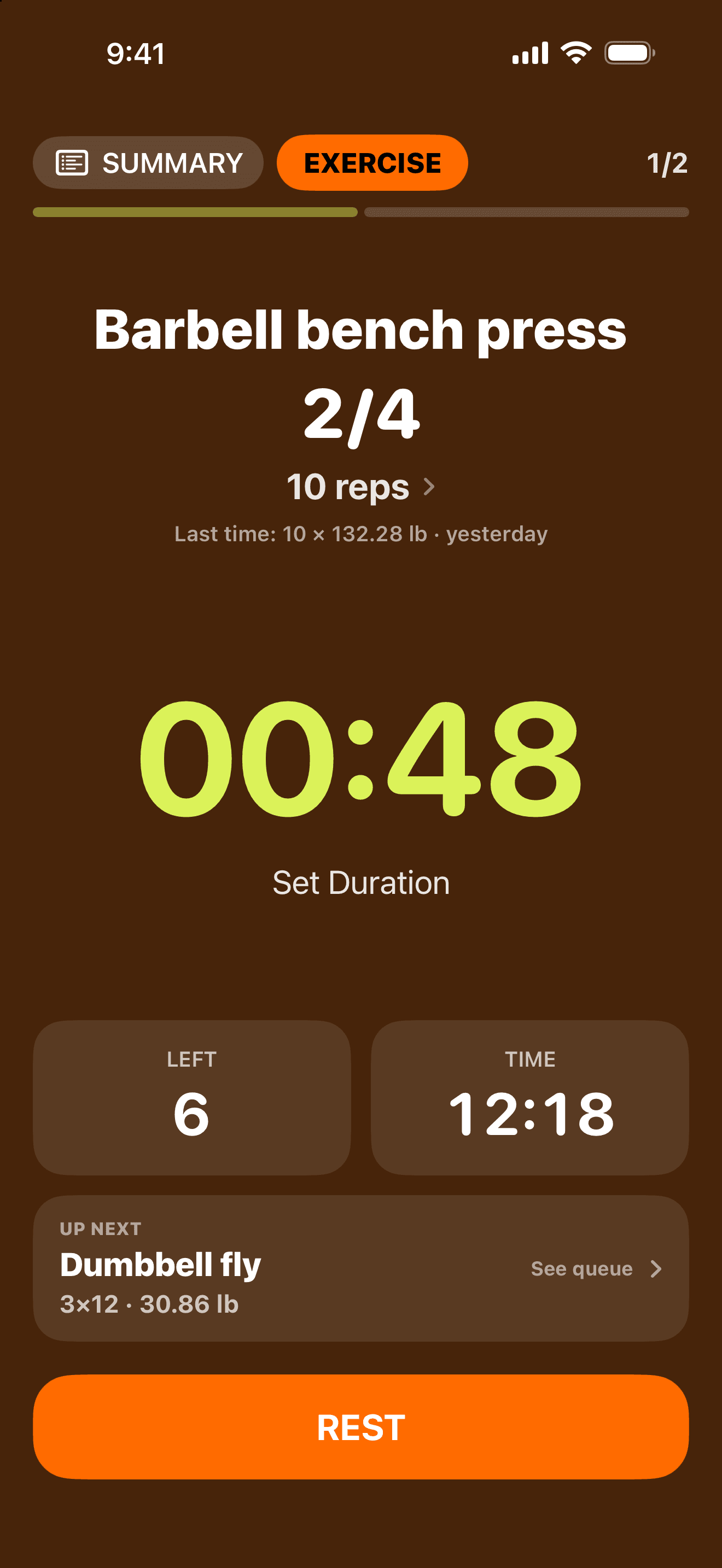
Active set. Tap REST.
Rest ring and the set you just finished, already marked "Did as planned". Adjust reps or weight if needed. BACK TO EXERCISE advances the set.
Time, sets, and kcal. Review, then tap Finish workout.
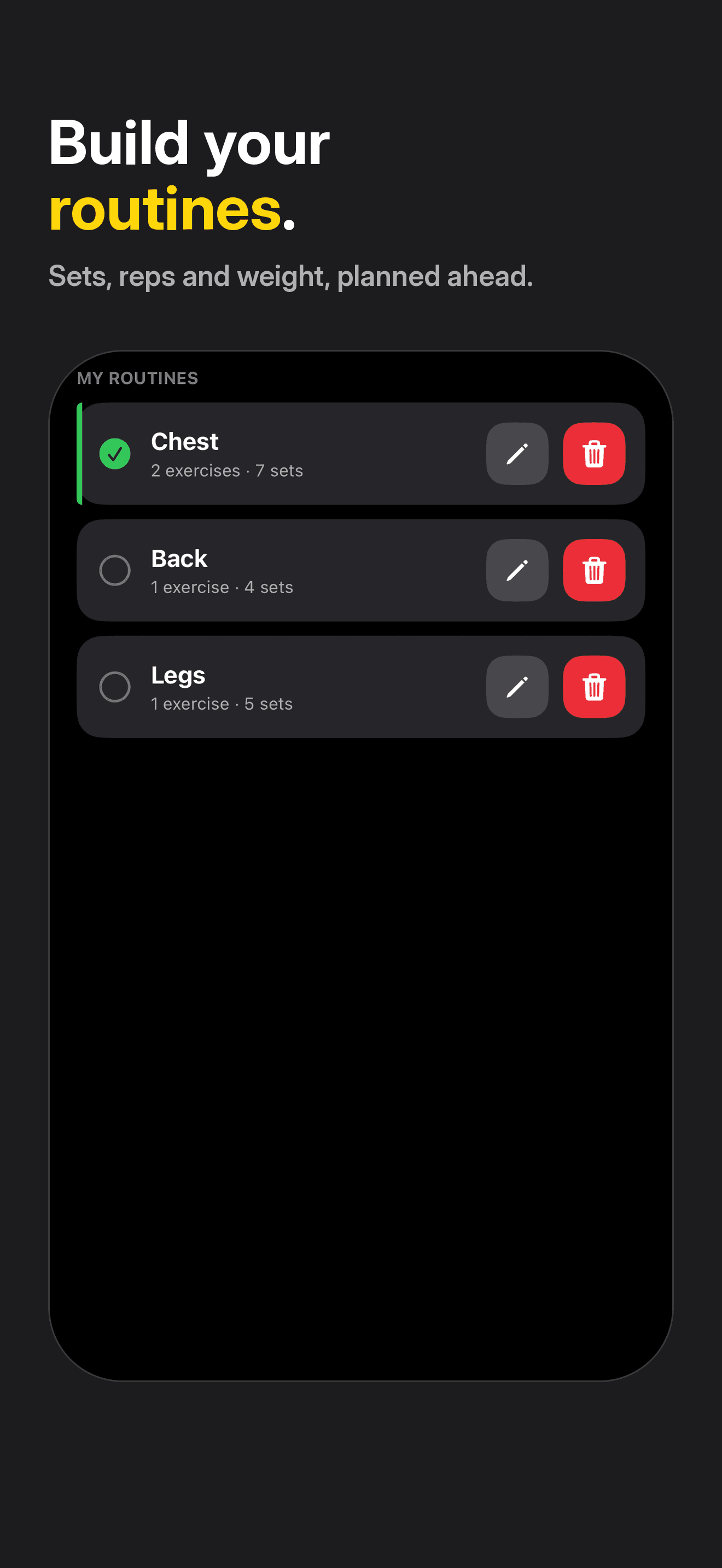
Free workout is always there, or pick a routine with sets, reps, weight, and rest.
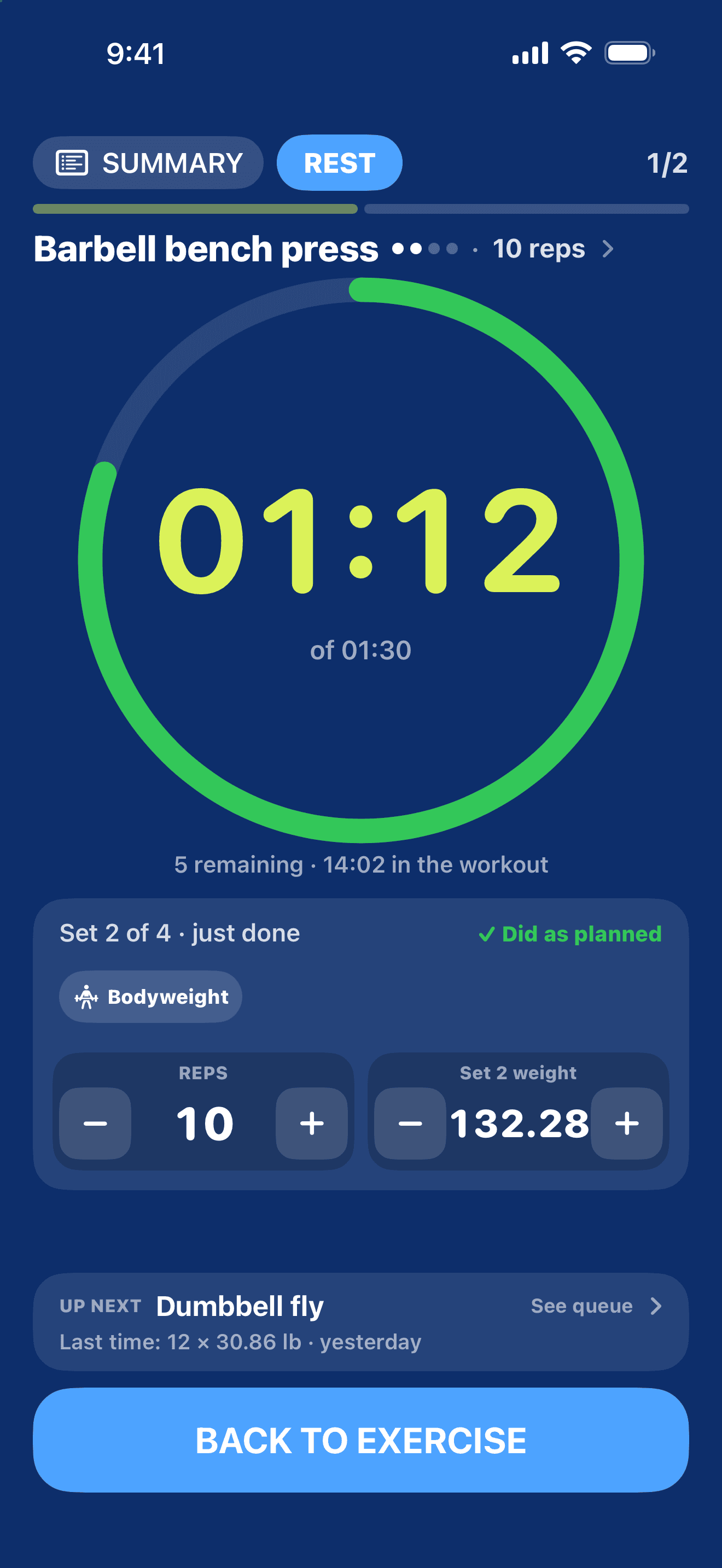
While you rest, the set you just finished stays fully on screen. Did it differently? Change reps or weight, bodyweight included.
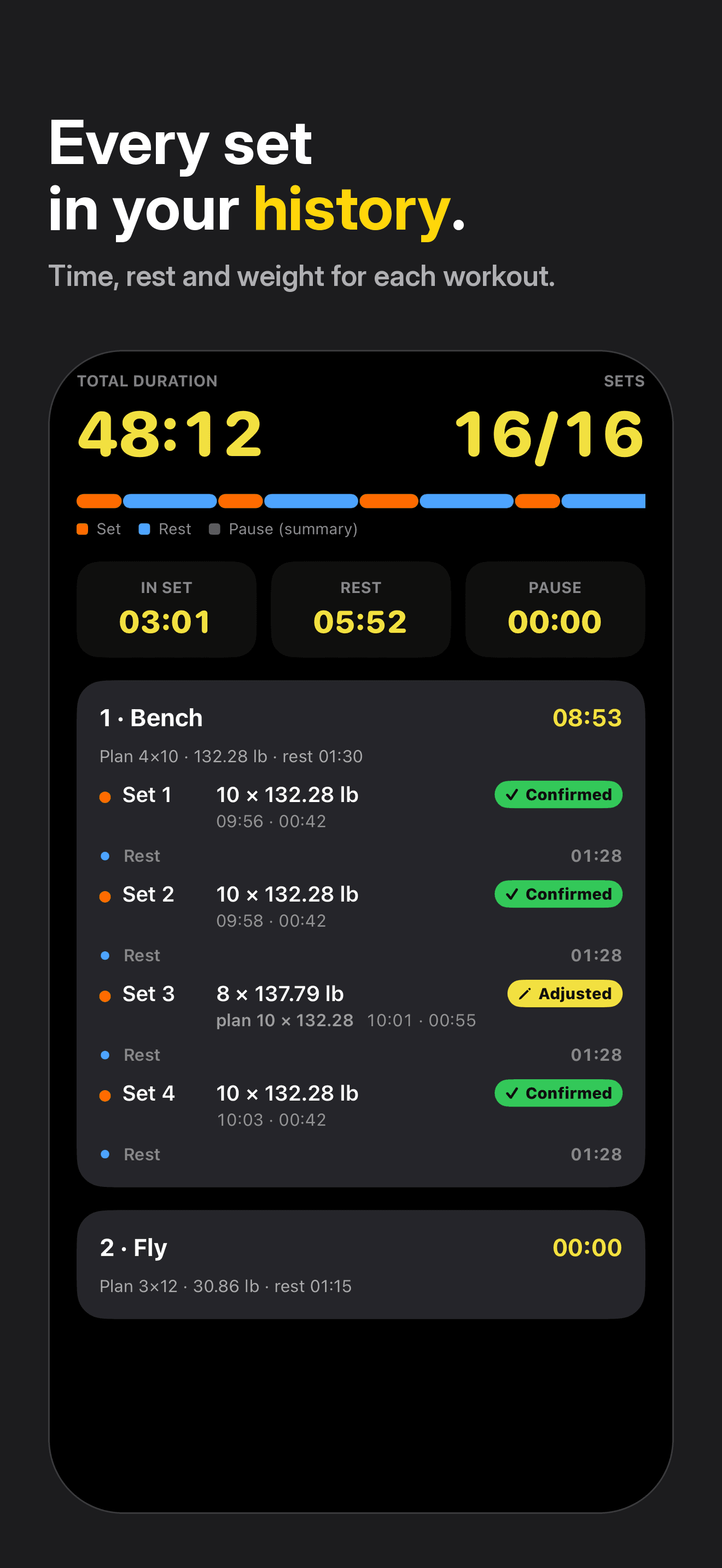
A timeline of sets, rest, and pauses for every workout.
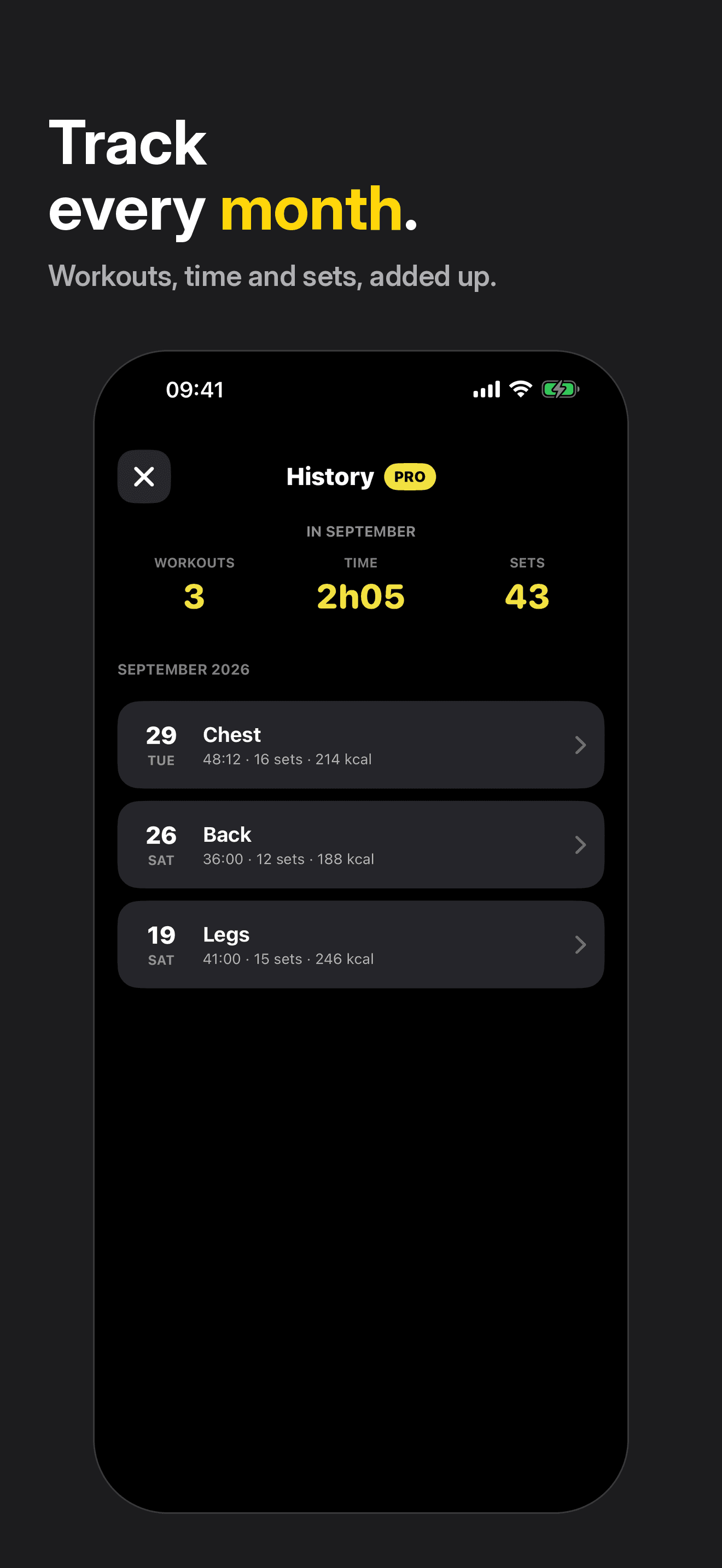
Workouts, time, and sets totaled by month. Full history with Pro.
Start on iPhone or Watch. The other follows, and controls stay with whoever started.
With your permission, saves the strength workout and active energy. Heart rate on Apple Watch. On Android, it writes to Health Connect.
Unlimited routines and full history, with a monthly or yearly subscription. Cancel anytime.
You'll see the price in the app and in the store before you buy.
Free workout doesn't count toward the routine limit.
Yes. The counter, rest timer, tutorial, unlimited free workouts, up to 3 routines, 7 days of history and the exercise picker are free. Pro is optional, as a monthly or yearly subscription.
It's 7 days, only on the Yearly plan, once per store account. If you cancel at least 24 hours before it ends, you won't be charged.
Yes. If you already have Pro, you keep it, with no subscription. New device? Tap Restore purchases.
In the store. iPhone: Settings › your name › Subscriptions. Android: Google Play › Payments & subscriptions › Subscriptions. Deleting the app does not cancel the subscription.
No. You can type whatever you want. The list is just a shortcut.
Type the name and tap Create. It becomes one of yours, saved for next time. Free, with no limit.
They stay the same. Updates don't delete or rename anything. If the name you used matches one in the catalog, it's recognized. If not, it becomes one of yours and you can link it to the catalog later.
No. Catalog exercises appear in the app language and your history stays the same.
There's no account and no login. Your workouts stay on your device. GrafSets has no server.
Yes. GrafSets is on iPhone, with Apple Watch, and on Android.
Settings › View tutorial. The welcome screen comes back, and tips show again in your next workout, one per screen.
No. Each set is saved as "Did as planned". Only change reps or weight if you did something different, and it becomes "Adjusted".
Yes. It follows your device language: English, Portuguese or Spanish (Mexico and Spain).
Get GrafSets and start at your next workout. No account, no ads.